Confirmed labs
Every marker a practitioner reviewed, with the draft it was extracted from.
A clinical workspace built on the loop. Seven domains.
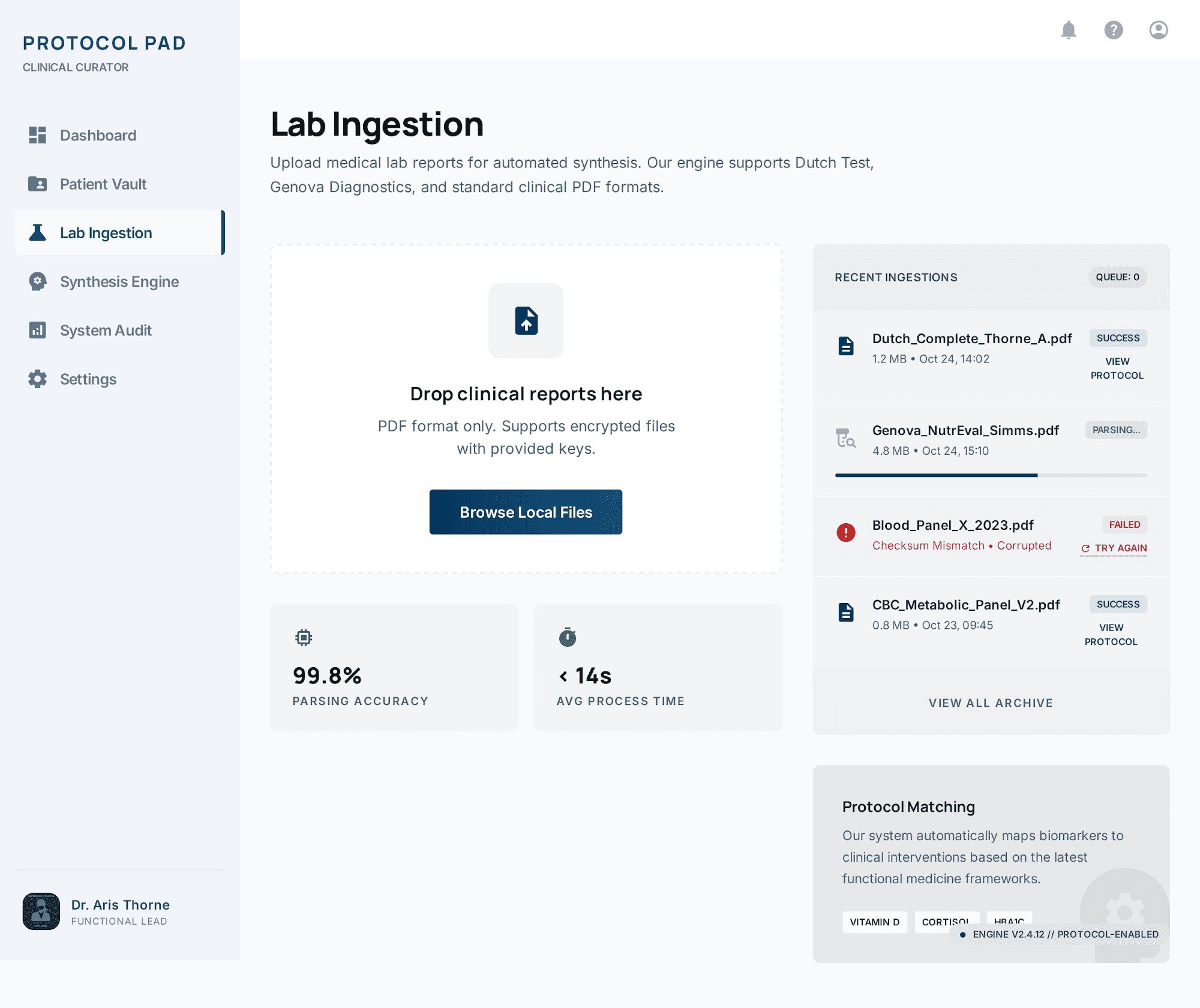
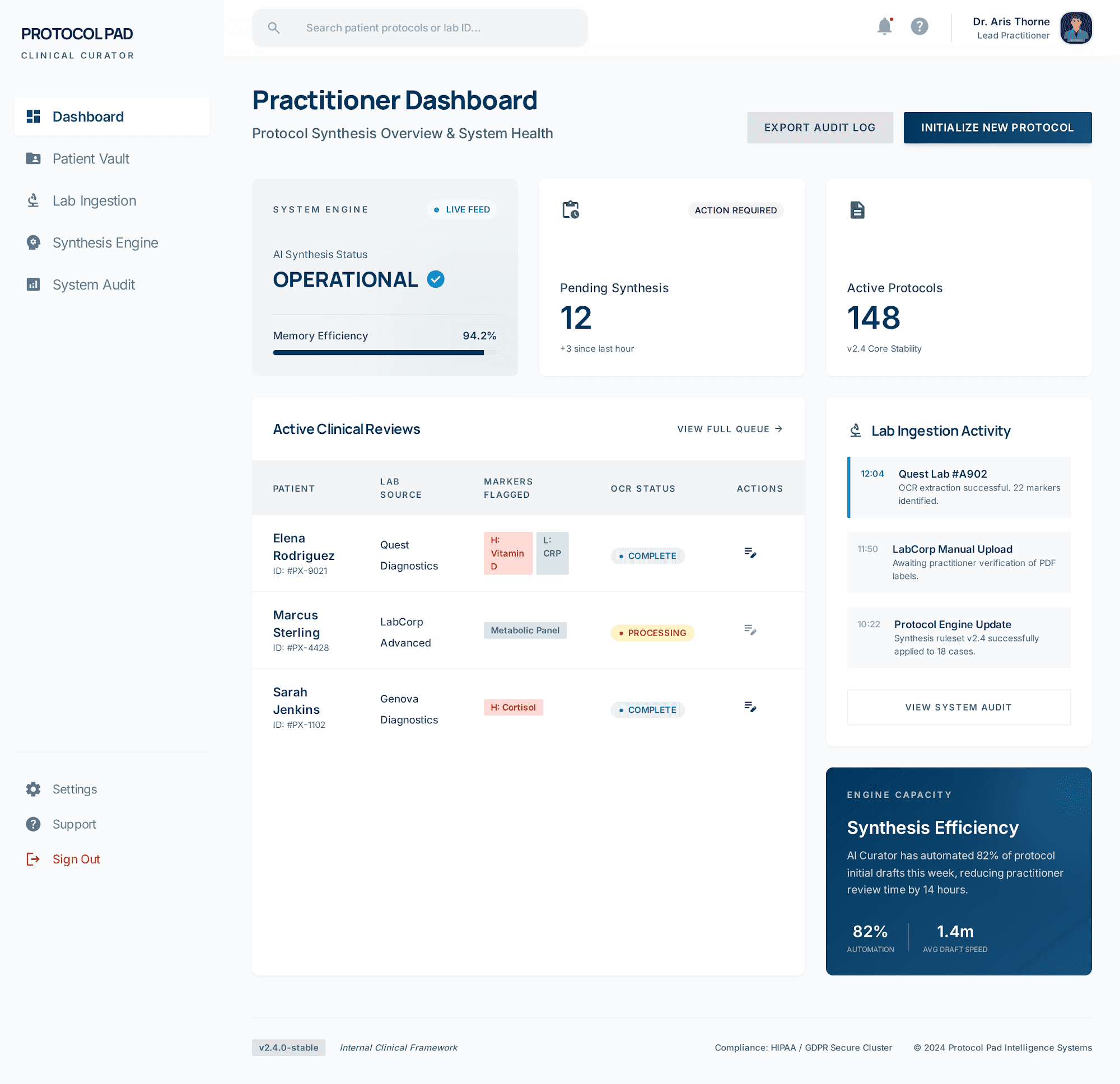
Text-based lab PDFs become reviewable markers, without retyping a single value.
Marker extraction
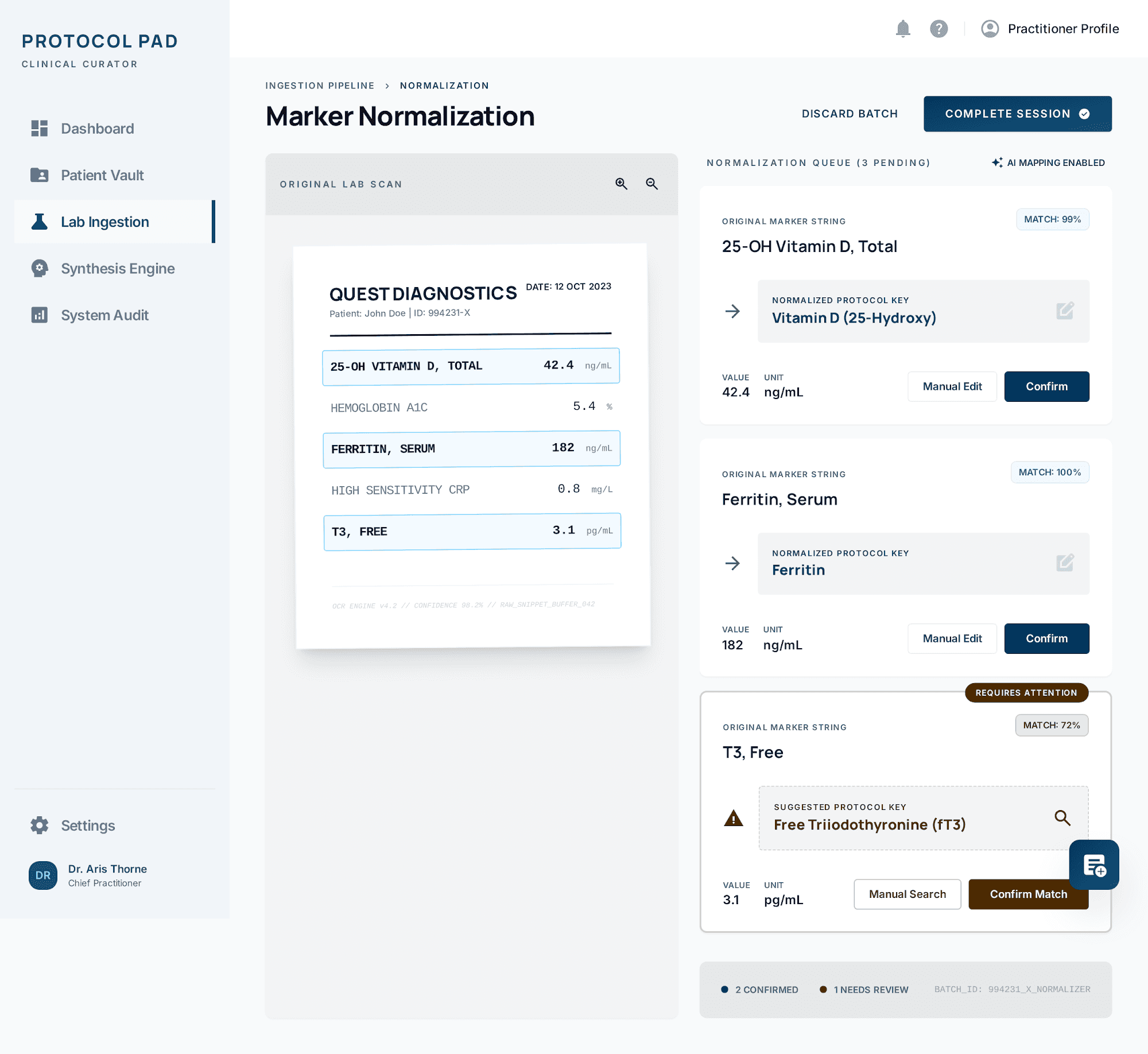
Upload a text-based laboratory PDF and Protocol Pad extracts its markers into a reviewable table. Every value is confirmed by a practitioner before it enters the record — extraction proposes, it never commits.
See the workflowConfirmation gate
A lab stays in draft until its markers are confirmed. That gate is what makes every downstream protocol traceable to a value a clinician actually looked at.
Also in this chapter
Text-based PDF lab reports from common panels.
Labs remain editable and discardable until completion.
Correct any extracted value inline before confirming.
Extraction and confirmation are both recorded events.
Results read as clinical tiers rather than a binary verdict of high or low.
Tonal layering
A marker inside the reference range can still be far from optimal. Results are placed on a tiered scale so the distance between acceptable and optimal stays visible instead of collapsing into a pass.
Pathway mapping
Confirmed markers are grouped onto metabolic pathways, so a pattern spread across four unremarkable results is legible as one systemic finding.
A result read alone is a number. A result read against its pathway, its tier, and its own history is a finding.
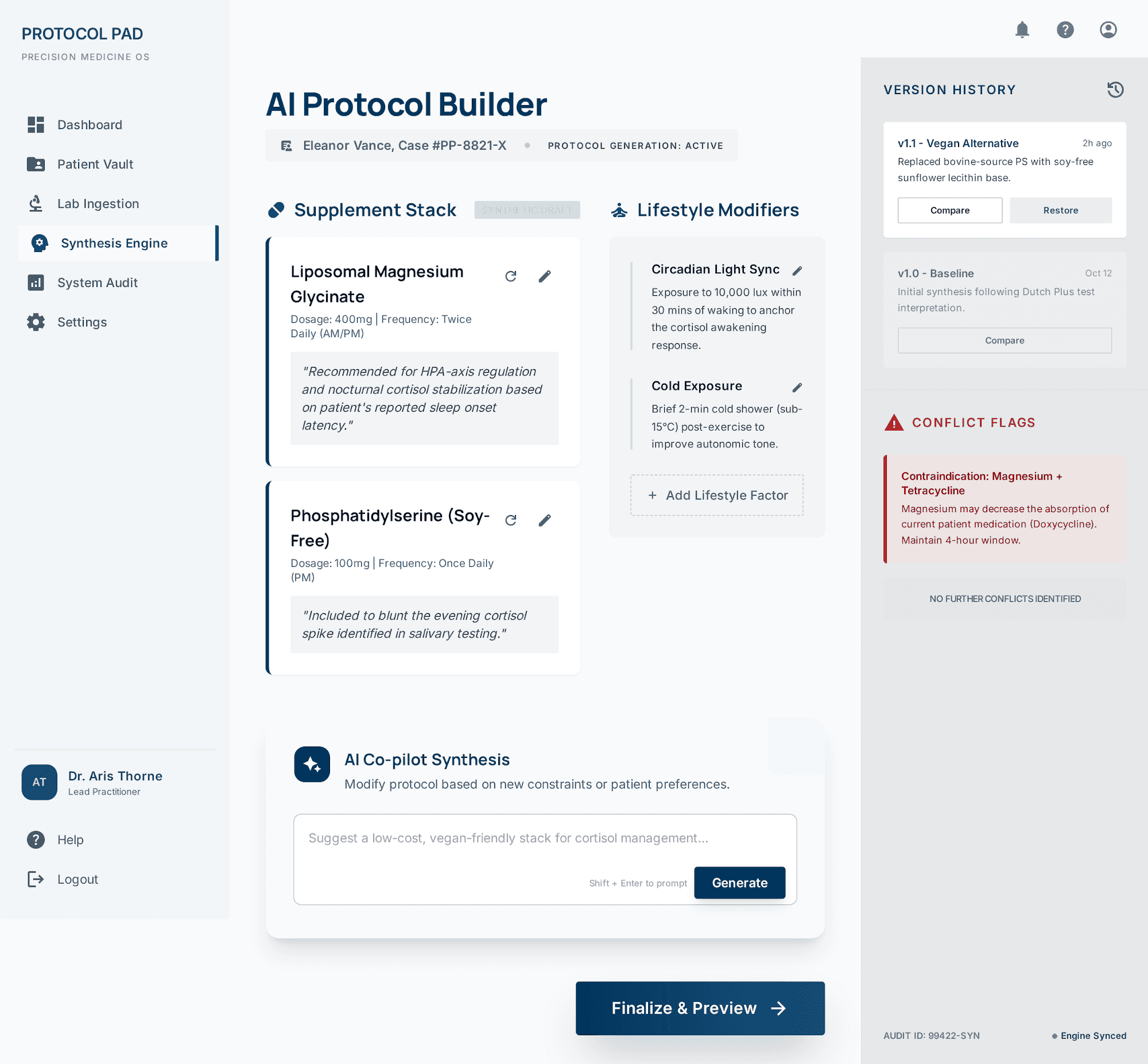
Drafts assembled from the recorded lab profile, edited and approved by a practitioner.
Assisted drafting
Protocol Pad assembles a draft from the patient's recorded lab profile. It arrives as a starting point in your editor — never as a finished document, and never as something a patient can receive unreviewed.
See the builderApproval
Approval is an explicit act by a named practitioner, and it is what turns a draft into a protocol. Everything before that point is provisional and reversible.
Also in this chapter
Every revision of a draft is retained and comparable.
Return a protocol to any earlier approved version.
Generate a clinical summary for the patient record.
Approvals record who signed and when.
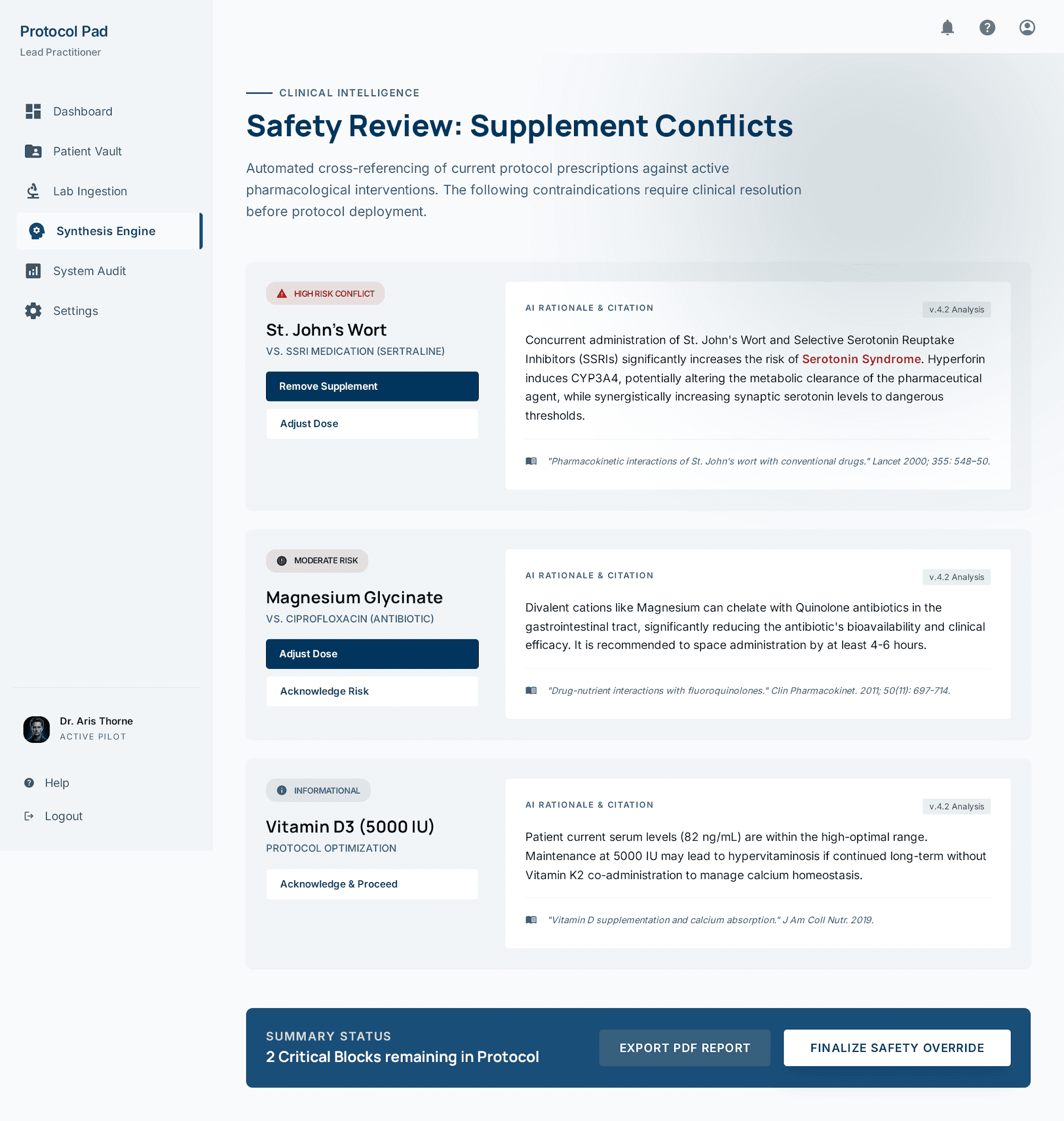
Supplement interactions surface before a protocol reaches a patient, not after.
Interaction screening
Supplement pairs in a draft are screened for known interactions and surfaced in the editor, while the protocol is still a draft and changing it costs nothing.
Decision support, not a decision. Every flag is a prompt for clinical judgment, and judgment stays with the practitioner.
Every completed protocol stays in the practice, available to the next case.
Institutional memory
Completed protocols stay in the practice as a private library. The reasoning behind a case from eight months ago is available the next time a similar presentation walks in.
Also in this chapter
Query across patients, labs and protocols in the workspace.
The registry never leaves your organization.
Labs and protocols ordered against one another.
What the registry keeps
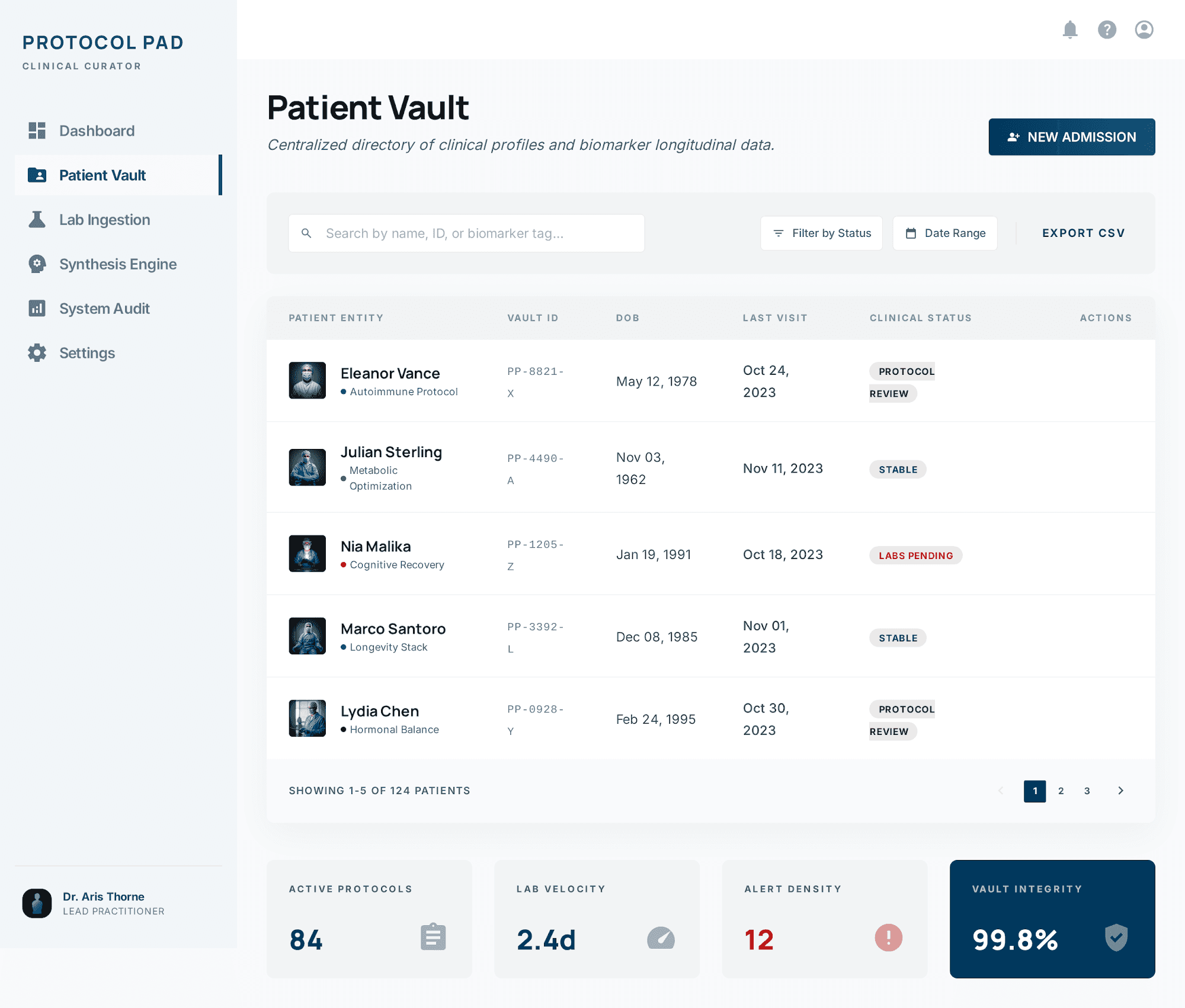
Confirmed labs
Every marker a practitioner reviewed, with the draft it was extracted from.
Approved protocols
The signed version, plus every revision that preceded it.
Safety findings
Interaction flags raised during drafting and how they were resolved.
Patient timeline
Labs and protocols ordered against one another across the whole case.
Audit events
Who accessed what, and when, for the life of the record.
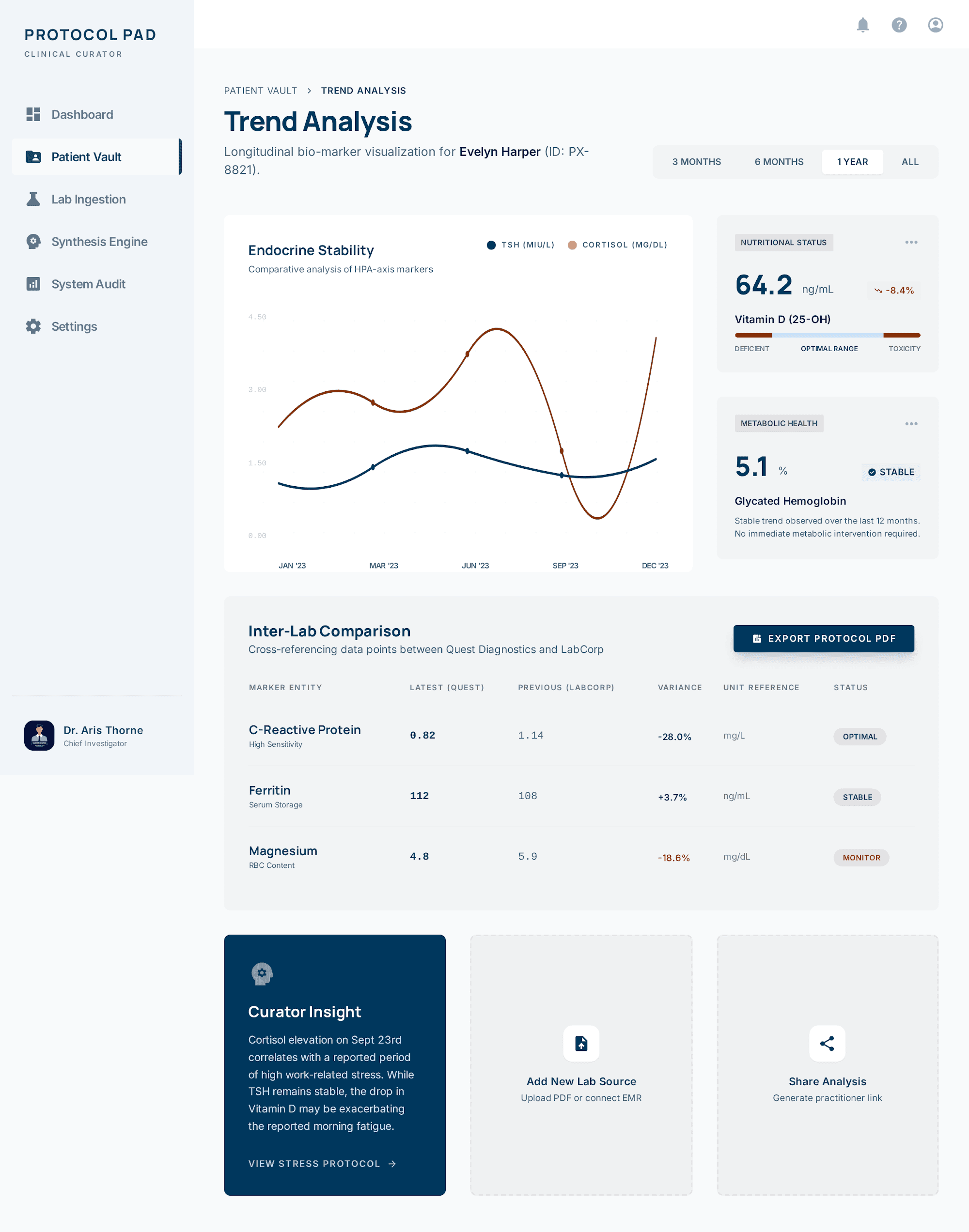
Marker movement is tracked against the protocol that preceded it.
Trend analysis
Marker trends are plotted against the protocols that preceded them, so the next iteration starts from what the last one actually changed rather than from recollection.
The loop only compounds if each turn can see the one before it.
One workspace per practice, scoped so case history follows the patient across providers.
Shared context
Case history is scoped to the organization, so a patient seen by a second provider arrives with their labs, protocols and history already in place.
Compare plansAlso in this chapter
Access scoped by organization membership and role.
Add providers to the workspace by email invite.
Access and changes recorded for review.
Optional TOTP on practitioner accounts.
Create a private workspace and bring one case through a full protocol cycle.
Protocol Pad · 7 chapters